


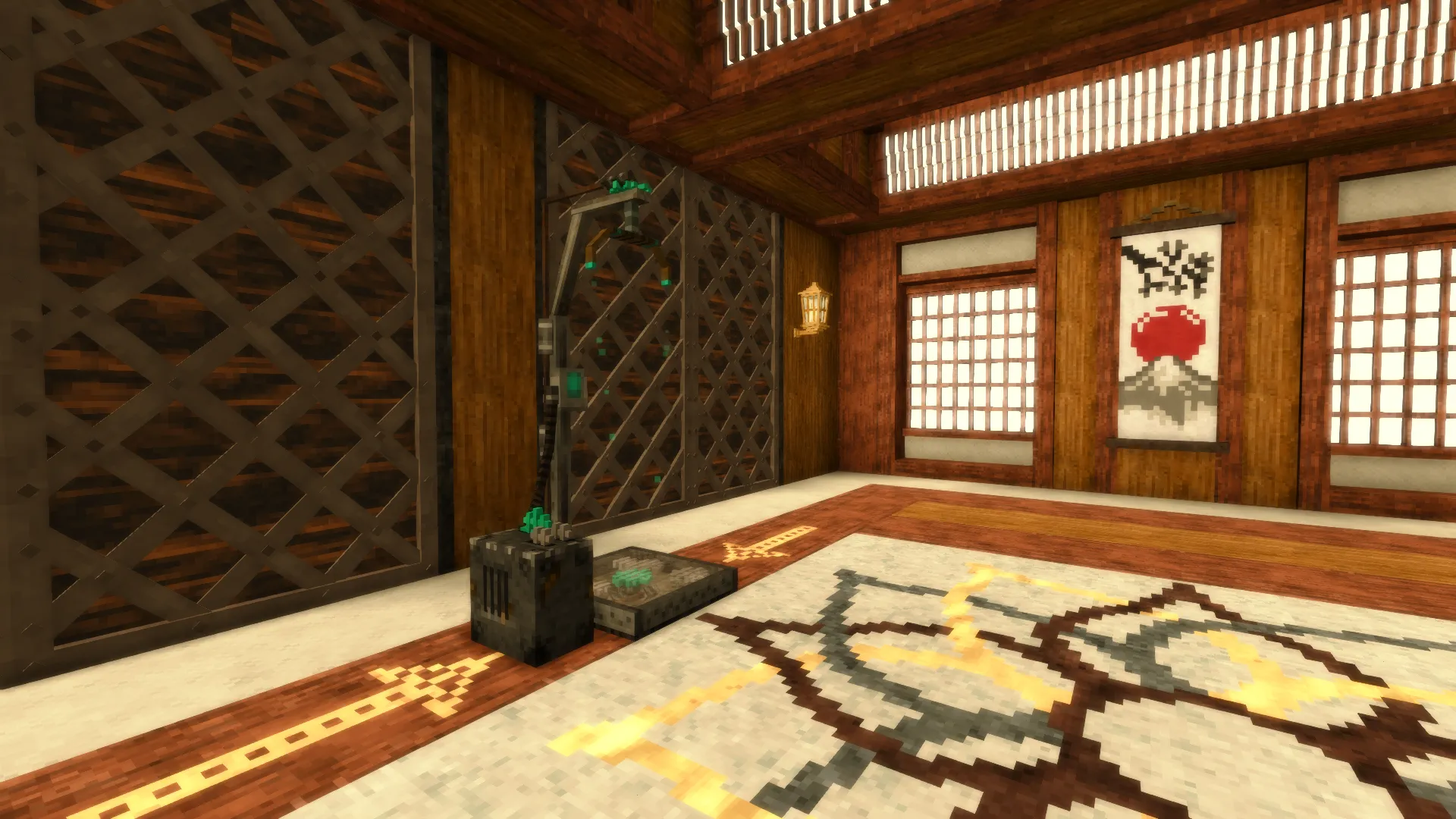
A translocator is an ancient teleportation platform. Once repaired, it finds a partner hundreds or thousands of blocks away. From then on, you can travel between the two locations freely, in either direction, as often as you like. Translocators can't be crafted — you have to find one and repair it.
Where to find translocators
Broken static translocators can only be found underground, inside small ruins. Many of these ruins are relatively close to the surface, so you don't need high-tier gear to search for them. Look for blocks that don't occur naturally, such as stone bricks and aged wood. These are signs of a man-made structure. If you spot them in a cave or while digging a mine, take a closer look around the area.
You can't break or move a translocator. No pickaxe can mine it, and it doesn't drop anything. You'll have to repair it right where you find it.
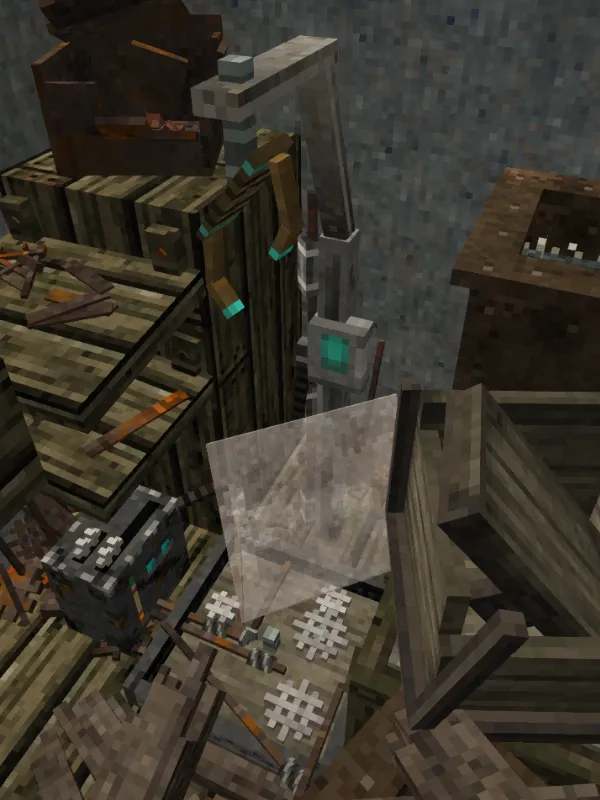
Broken or ruined
Ruins can contain two types of translocators: a Broken static translocator and a Ruined static translocator. The ruined version is purely decorative and cannot be repaired. To tell them apart, hold metal parts in your hand and look at the platform. A repairable translocator displays the Repair hint, while the ruined one does not.
What you need to repair a translocator
| Who can repair | Metal parts | Temporal gears |
|---|---|---|
| Who can repairAny class | Metal parts2 | Temporal gears3 |
| Who can repairClockmaker (Technical trait) | Metal parts2 | Temporal gears2 |
Metal parts can be found in piles of junk metal: Tiny pile of junk metal, Small pile of junk metal, Medium pile of junk metal, and Large pile of junk metal. These piles are common in the same ruins where translocators are found, so make sure to break every one you come across. They also contain rusty gears, which are used as currency with traders.
For more information on finding temporal gears, see our guide: Where to get a temporal gear in Vintage Story. Keep in mind that you'll also need a gear to set your home point, so using three of them to repair a translocator can be a considerable expense.
How to repair
Install the metal parts
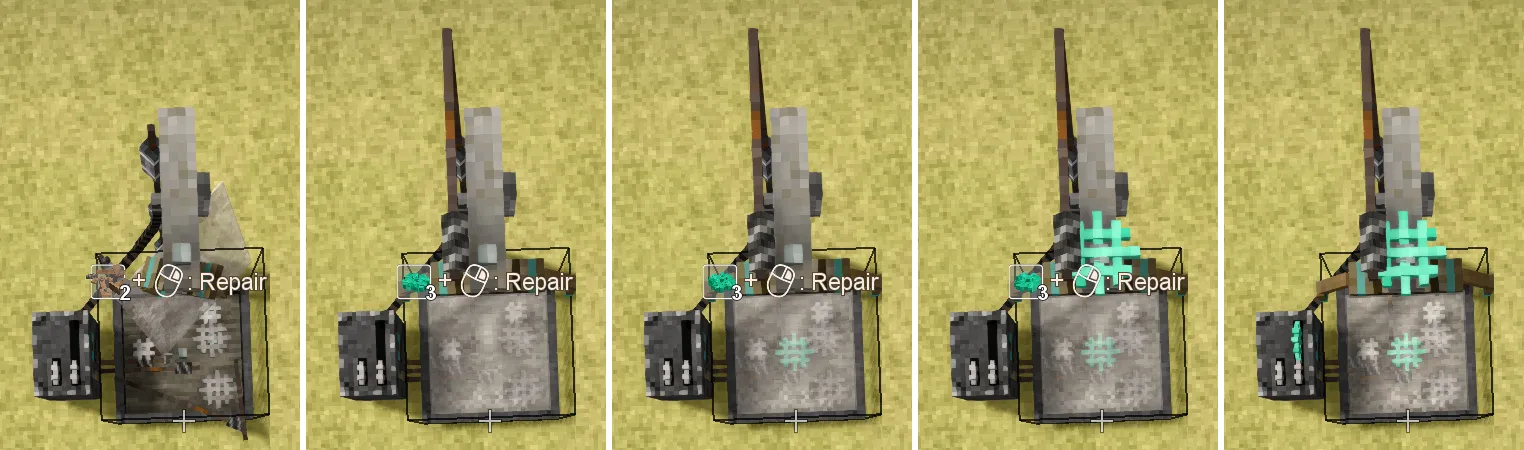
Hold at least two metal parts in your active hand and right-click the translocator. The game will take exactly two, and the glass on the platform will be restored. If you're holding only one part, nothing happens. You must install the metal parts before adding any gears.
At this point, the block is named Repaired Static translocator, but it still won't work. When you look at it, the following hint appears: "Seems to be missing a couple of gears. I think I've seen such gears before."
Install the gears
Hold a temporal gear in your active hand and right-click the translocator to install it. Add the gears one at a time. Each one has its own slot: the first goes beneath the platform glass, the second on top of the frame, and the third into the control box on the side. The hint always asks for three gears, but a Clockmaker only needs two because the first gear counts as two.
Wait for the translocator to find a partner
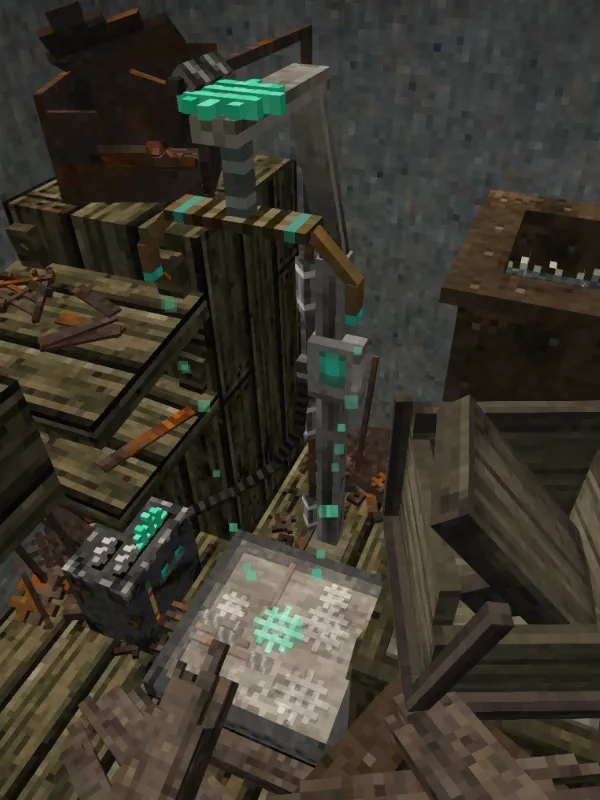
Once the final gear is installed, the translocator begins searching for a partner. While the search is in progress, it displays the message "Warping spacetime...". When a partner is found, the message changes to "Spacetime subduction completed." The translocator is now ready to use.
Note: Make a backup of your world before the first jump. The game searches for a partner in areas of the map that haven't been generated yet, and the connection can occasionally fail.
Where a translocator leads
The game randomly selects a destination between 400 and 8,000 blocks away along each of the two axes. This works out to roughly 570–11,300 blocks in a straight line. At the selected location, the game searches for underground ruins containing a broken translocator. If it doesn't find any, it selects another location and repeats the process until it finds a suitable ruin.
The translocator found at the destination is repaired automatically and linked to yours. The connection works in both directions, so you can return the same way. Without using commands, you can't choose the destination or control how far away it is.
How to use a translocator
Step onto the platform and stay there for about four and a half seconds, until the sound finishes. If you step off before then, the teleportation is cancelled.
Items dropped onto the platform are transported as well, allowing you to send supplies to the other side. If you're riding an elk, it will teleport with you.
What to bring on the first jump
You'll arrive underground, in unfamiliar ruins and far from your base. Make sure to bring the following:
- A light source, preferably one that won't go out in water;
- A pickaxe with plenty of durability — there may not be an easy way back to the surface;
- Ladders or rope ladders;
- A stack of dirt or another building block to seal off passages and keep monsters out;
- Food.
First, note down the coordinates of the translocator at your destination or mark its location on the map. If you decide to settle there, you can move your home point using a temporal gear. For details, see our guide: How to set your home (spawn) point in Vintage Story.
How to link translocators with a command
A server administrator or a player in a single-player world with cheats enabled can manually set a translocator's destination. You need the setspawn privilege to do this. Look at the translocator and enter the following command:
/settlpos l[] X Y ZReplace X Y Z with the coordinates of the second translocator. The l[] parameter is a lowercase letter L, not the number one. It refers to the block you're currently looking at. The command also works on broken translocators, making them functional immediately. The connection is one-way, so to enable the return trip, repeat the command while looking at the second translocator and enter the coordinates of the first one.
Source: the wiki page Translocator.